
Blog / Oxford Honda Service

Does Your Honda Need a Brake Repair?

Honda Brake Repair

If there's any part of your car that you want to keep in tip-top condition at all times, it's your brakes. Safe is always better than sorry when it comes to your brakes, so the following six signs of brake issues should prompt an immediate visit to your local Honda dealer for brake repair. 

Does Your Honda Need a Brake Repair?

Screeching Brake Pads

The most common need for brake servicing comes from one or more brake pads wearing out. When the friction layer on a brake pad is almost gone, most pads are designed to issue a high-pitched screeching sound. This noise might be alarming, but it's usually harmless and only meant to let you know it's time for a new pad.

Vibrating Brake Rotors

Brake rotors are made from far sturdier stuff than brake pads. This allows rotors to last a good deal longer. However, brake rotors inevitably wear down over time and eventually need to be replaced. When a rotor wears too thin or becomes somehow damaged or warped, you might feel vibrations through the steering wheel or brake pedal. 

Delayed Stopping Time

The most worrisome brake problem is a loss of stopping power. Needless to say, it's dangerous to drive with reduced braking force. Delayed stopping time might be caused by overheating from excessive continual use. Alternatively, one of your brake fluid lines might have sprung a leak.

Leaking Brake Fluid

Brake fluid fills most of the brake lines, creating hydraulic pressure that transmits the stopping signal from the brake pedal to the calipers. If your brake fluid ever leaks, your brake lines will lose this hydraulic pressure your car's ability to stop will be reduced. Brake fluid is a transparent yellowy liquid; if you suspect a leak, look for a fluid like this puddling under your car.

Soft-Feeling Brake Pedal

When brake fluid leaks, the brake pedal usually feels spongy and soft underfoot. So if your brake pedal ever offers your foot less resistance than usual, pull over and search for signs of a leak.

Tugging to One Side

Brake problems rarely develop on both sides of a vehicle at once. Because of this, they often cause the car to tug to one side when the brakes are applied. If you notice your car pulling to one side, the brake problem is likely to be on the other side of the vehicle where some degree of stopping power has been lost.

Get Regular Brake Servicing at Your Honda Dealer

As with all things car-related, the key to consistently reliable and safe brakes is routine preventative maintenance. It's generally recommended for drivers to have their brakes inspected at least once every 10,000 miles. Many drivers will coincide a brake inspection with their semiannual oil changes and tire rotations. 

Have your car's brakes examined and repaired today by qualified technicians at Boyd Honda Oxford. Since 1999, we've been providing the region's drivers with excellent vehicles, deals, and customer service. 

Posted in:

Related Posts

How to Reset Oil Life on a Honda - Honda dash

How to Reset Oil Life on a Honda

Keeping a check on your oil is one of the most important Honda maintenance tasks, and resetting the oil life indicator after an oil change is sometimes needed to maintain accurate readings. The following is a handy guide for learning how to reset oil life on a Honda. Initial Actions First, you must turn the ignition to on without starting the engine. The Honda Oil Life Percentage Indicator can then be accessed via the Select/Reset device located on the dashboard or steering wheel, depending on your model. If it's on the dash, it will be a knob. If it's found on the steering wheel, you will push a button. Knob and Button Basics If you have the button, you can interact with the menu simply by pressing the button, which will provide a displayed list of options. Scrolling through, you should see an option that reads either Engine Oil Life or Engine Oil Indicator %. You may need to reach this option through another selection, such as a wrench icon or Vehicle and Maintenance Info setting. If you have a knob, you will press it as many times as it takes until you see the Engine Oil Life or Engine Oil Indicator % option. Final Actions Once you have reached the appropriate setting, press and keep a hold on your Select/Reset button for about 10 seconds, or until the percentage indicator begins blinking. If your screen reads Engine Oil Life, then push the button (on the steering wheel) that says Info. This step officially enters you into Reset mode. At this stage, push the Select/Reset button again. For Engine Oil Indicator % readings, simply press your Select/Reset knob for another five seconds after the blinking starts. With some newer models, like the 204-horsepower Honda CR-V Hybrid, the aforementioned process may be streamlined so that you will just press and confirm a System Reset option for your engine oil within the menu. No matter the method, once the indicator reads 100%, you have successfully reset your oil life. You can then cease pressing and turn off your ignition. Why It's Important to Reset Oil Life on a Honda The Honda Maintenance Minder system takes the guesswork out of maintenance by monitoring vehicle operations electronically and alerting drivers when a problem arises. For oil changes, an orange wrench may appear along with a service message. The system will evaluate factors such as engine load, temperature, and speed to determine when action is needed. Oil quality is typically measured in percentage points. Having high-quality oil is important for keeping your Honda's engine running properly. When the indicator signals a change is needed, you should reset it following an oil change so that it will continue providing accurate readings. Put your Honda in trusted hands. Contact the service department of Boyd Honda Oxford for hassle-free maintenance.

10 Reasons to Get Regular Honda Service at the Dealer

Trust your dealership to provide you with the highest quality Honda service at competitive prices to keep your vehicle running smoothly. Our staff are friendly and professional. Our skilled technicians use cutting-edge technology and only genuine Honda parts. Plus, we always have great money-saving deals, service coupons, and specials. 1. Fast Appointment Scheduling You should get your car serviced every 7,500 miles or at least once a year. We've made it as easy as possible for you to make a service appointment with us. You can either schedule an appointment online or phone us. We will make sure that the time is most convenient for you. 2. Knowledgeable Service Staff Our friendly and professional staff will explain the service to you and answer any questions you might have. We recommend that you service your car regularly at the prescribed service intervals. It will increase the performance, handling, safety, fuel efficiency, resale value, and also prolong the life of your car, truck, or SUV. 3. A Comfortable Lounge To make sure that you are comfortable while you wait for your car to be serviced, we have a lounge area. Here you can relax while we work on your Honda to make sure it is in perfect running condition. 4. Well-Equipped Service Center Our state-of-the-art service center is equipped with cutting-edge technology to ensure that we deliver quality maintenance, services, and repairs. 5. Expert Technicians Service Your car Our technicians are Honda trained and go on regular courses to keep them up to date with the latest technological advances. When they work on your car, they use only the best diagnostic equipment, tools, and genuine Honda parts. 6. Genuine Honda Parts We use high-quality genuine Honda parts that are specially designed and engineered to fit your vehicle perfectly. All Honda parts are tested to Honda and Federal safety standards to ensure your safety. 7. Complimentary Multi-Point Inspection One of our technicians will do a thorough inspection of your car to determine what maintenance and repairs are required and to find any problems before they become serious issues. 8. Quality Checks After a Service Once the service is done on your vehicle, we will take a look to make sure that the service that was performed meets our high Honda standards. 9. Fantastic Deals and Specials When you bring your Honda in for service, always ask the staff about our latest deals and specials. The information is also available on our website under Service and Parts Specials. 10. We Care About You and Your Car We will contact you after a service to enquire about your experience with us and to find out if you are satisfied. We go out of our way to ensure that we give our customers the best quality service and maintenance. Contact Boyd Honda today. We know your car and will make sure that your car is performing optimally.

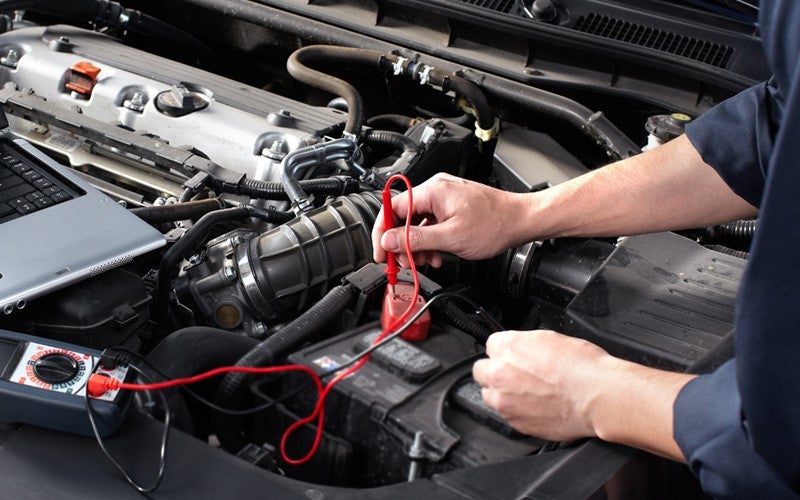
A mechanic tests a car battery with a multimeter under the hood.

Honda Maintenance Minder Explained: Understanding Your Service Schedule

The Honda Maintenance Minder is one of the most practical features built into your Honda vehicle. Rather than relying on a fixed mileage schedule, this system monitors your driving habits and conditions in real time, then alerts you when service is actually needed. For drivers in Oxford, North Carolina, understanding how it works can save time, money, and unnecessary trips to the shop. What Is the Honda Maintenance Minder? The Honda Maintenance Minder is an onboard monitoring system that tracks engine oil life and other key maintenance intervals. It calculates when service is due based on factors like engine temperature, RPM, and vehicle speed. When the oil life percentage drops to a certain level, the system displays a wrench icon and a code on your instrument panel, letting you know exactly what type of service is needed. How to Read Your Maintenance Minder Display When the Maintenance Minder activates, you will see a percentage alongside a letter or number code. The percentage represents your remaining oil life. A display showing 15%, for example, means your oil is approximately 15% effective and service should be scheduled soon. The accompanying codes tell you and your service technician which specific services are recommended at that time. Understanding Honda Maintenance Minder Codes Honda maintenance minder codes are divided into 2 categories: main items and sub-items. The main item code A indicates an oil change is due, while code B signals an oil and filter change along with additional inspections. Sub-item codes numbered 1 through 6 and beyond identify services like tire rotation, air filter replacement, brake fluid inspection, and spark plug replacement. Knowing what each Honda maintenance minder code means helps you have a more informed conversation with your service advisor. When Should You Schedule Service? Honda recommends scheduling service when your oil life reaches around 15%. You should never wait until it hits zero, as that could mean your engine is running on degraded oil. If a wrench icon appears without any Honda maintenance minder codes, it typically signals a scheduled maintenance interval rather than an urgent mechanical issue. Why the Maintenance Minder Matters for Your Honda The Maintenance Minder removes the guesswork from routine upkeep. Because it adapts to how you actually drive, you may find your service intervals are longer or shorter than a standard mileage-based schedule would suggest. Either way, the system is designed to protect your engine and help your Honda run reliably for years to come. Visit Boyd Honda Oxford for Your Next Service When your Honda Maintenance Minder activates, the team at Boyd Honda Oxford is here to help. Serving customers throughout Oxford, NC, the service department is equipped to handle every code and maintenance interval your Honda requires. Schedule your next service appointment online or stop by - your Honda will thank you. Keep Up With Your Honda Maintenance Minder Staying on top of the Honda Maintenance Minder is one of the simplest things you can do to protect your investment. Whether your display is showing a routine oil change or a more detailed service request, acting promptly keeps your vehicle performing at its best. Bookmark the Boyd Honda Oxford service page and check back whenever that wrench icon appears.